
More than a grammar checker. Less than a writing partner. Closer to a very demanding writing coach who never bills by the hour.
| Developer | ProWritingAid |
| Plans | Free, Premium, Premium Pro |
| Free tier | Yes, with significant limits |
| Pricing | Verify current rates at prowritingaid.com |
| Lifetime license | Yes (Premium and Premium Pro) |
| Writing reports | 25+ |
| AI assistant | Yes (Sparks) |
| Scrivener integration | Yes |
| MS Word integration | Yes |
| Google Docs integration | Yes |
| Browser extension | Chrome, Firefox, Safari, Edge |
| Plagiarism checker | Yes (separate report pack) |
| Best for | Fiction writers, long-form authors, serious editors |
This post contains affiliate links. If you buy through them, I may earn a commission at no extra cost to you. Full disclosure policy.
Bottom line: ProWritingAid is what you get when someone builds an editing tool for writers who actually want to improve, not just pass a deadline. Its 25-plus analytical reports go places no other tool in this category bothers to go. It’s slower than Grammarly, more demanding than Grammarly, and not remotely interested in being Grammarly. If that sounds like your kind of software, read on.
Scribbright rating: 4 out of 5
→ See all writing tools in the Scribbright reviews section.
What ProWritingAid actually is
Most writing tools correct your work. ProWritingAid analyzes it. There’s a difference, and it matters.
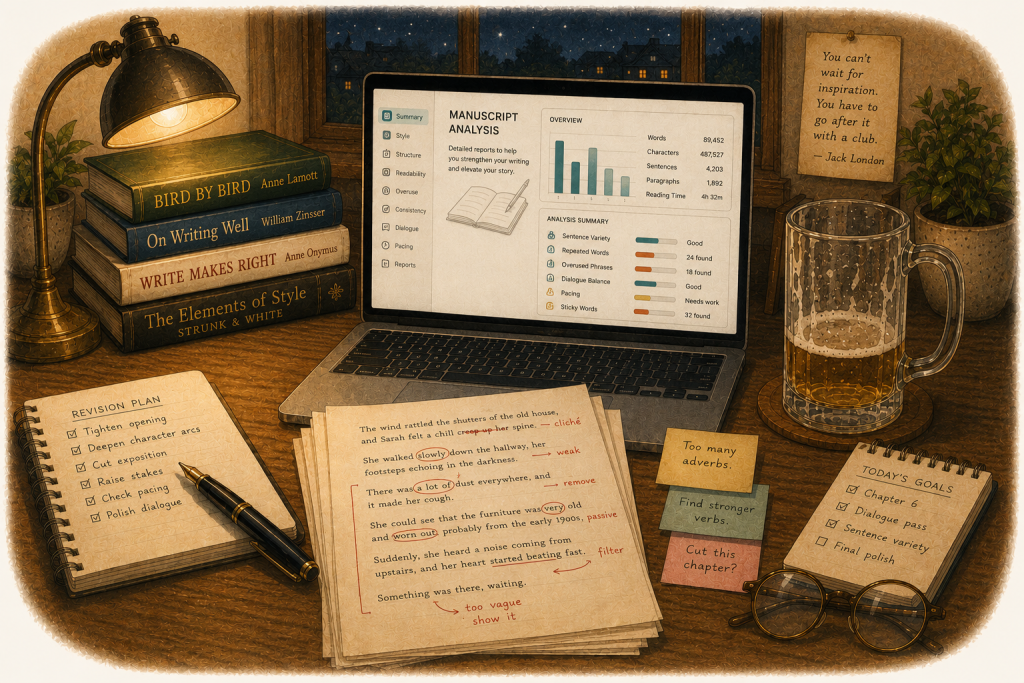
Install it, and you get real-time grammar and style suggestions, the baseline you’d expect from any tool in this space. Then the reports kick in. Twenty-five-plus of them. Pacing. Sentence variety. Overused words. Dialogue consistency. Readability. Passive voice density. Storytelling structure. The tool doesn’t just flag a weak sentence; it tells you why it’s weak and what category of weakness you’re dealing with. After years of writing professionally, I found a few of those reports uncomfortably informative. That’s a compliment.
It’s not a light-touch proofreader. It’s closer to handing your manuscript to a developmental editor who doesn’t get tired, doesn’t soften the feedback, and doesn’t charge by the hour. At Premium Pro level, that’s essentially what you’re getting.
The reports, since that’s really what this is about
The grammar check is fine. You came for the reports.
The style report catches passive voice, vague wording, and sentences that have gotten too ambitious for their own good. The overused words report shows you the tics you’ve stopped noticing because you’ve been inside the document too long. The readability report tells you what audience level you’re actually writing for, which is sometimes a surprise. The pacing report, for fiction writers, maps whether your narrative is moving the way you think it is. The dialogue report checks whether your characters sound like themselves or like each other.
None of this exists in Grammarly. None of it exists in any general-purpose AI assistant, for that matter. It’s the kind of feedback that used to require a human, a scarifying invoice, and a waiting period. ProWritingAid delivers it immediately, at annual subscription rates, and it doesn’t need lunch.
At Premium Pro, Chapter Critique and Manuscript Analysis go further: structured editorial feedback chapter by chapter, plus a Virtual Beta Reader that simulates how an actual reader will experience your work. For a novelist in revision, these aren’t nice-to-haves. They’re the whole point.
Sparks, the AI layer
ProWritingAid’s generative AI assistant is called Sparks, which is either charming or precious depending on your tolerance for product naming. It lives inside the editor rather than following you around the browser like an amped-up intern.
It handles sentence rewrites for tone, length, and formality, plus longer-form critiques at the Premium Pro tier. It’s aimed at fiction and long-form work, not the email-and-Slack rewrites that Grammarly’s AI assistant handles. The two tools solve different problems, which is worth remembering when someone tries to tell you one is baldly better than the other.
The daily usage caps on Sparks matter more than the marketing suggests. Premium gives you enough to try the feature. Premium Pro gives you enough to actually use it. If you’re revising a novel and want to run multiple rewrites of the same passage in a session, Premium’s cap disappears faster than a politician’s campaign promises. Writers who plan to lean on the AI features should factor that into their decision about buying a plan.
Where it gets annoying
ProWritingAid’s depth comes with overhead, and pretending otherwise wouldn’t be right.
Processing longer documents is slower than Grammarly, sometimes noticeably so. The plagiarism checker is the worst offender: several minutes on a document of moderate length, documented consistently in user reviews, not an occasional outlier. If you check plagiarism frequently, this will irritate you. Or maybe you’ll feel more confident it’s doing its job.
The suggestions panel has an interface quirk that shows up regularly enough in user feedback to be worth flagging: on certain screen configurations, the feedback overlay covers the text it’s actually commenting on. You end up scrolling sideways to read the sentence being addressed. It’s the kind of thing that shouldn’t still be happening in a mature product, and yet.
AI suggestions, as with every tool in this category, need your judgment. ProWritingAid is better than most at explaining its reasoning, which makes evaluation easier than a binary accept-or-reject. But the volume of feedback across 25-plus reports can be overwhelming on a first pass, particularly for writers coming from simpler tools. The depth is real. So’s the learning curve.
The browser extension, away from ProWritingAid’s own editor, is a stripped-down version of this experience. The reports don’t travel with you. For the full tool, you need the desktop app or the web editor. Writers expecting Grammarly-style ubiquity will need to adjust their expectations.
The pricing question
ProWritingAid restructured its pricing going into 2026, moving from a single affordable annual tier to a Premium/Premium Pro structure at higher rates. It’s still priced below Grammarly Pro’s annual plan, but the gap has narrowed from what it used to be. Verify current pricing at prowritingaid.com; it’s changed repeatedly.
The monthly-versus-annual differential is extreme, one of the largest in the SaaS writing tool category. Month-to-month costs roughly three times the annual rate. If you’re evaluating ProWritingAid seriously, the annual plan is the only sensible option. The monthly plan exists for people who haven’t done the math yet.
The lifetime license is worth a separate paragraph because it’s genuinely unusual. ProWritingAid offers lifetime access at both Premium and Premium Pro tiers, a one-time payment, forever. No other major writing tool in this category does this. For writers who are confident the tool fits their workflow, the break-even against annual billing is roughly three years at the Premium level. After that, it costs nothing. The main risk is that ProWritingAid could alter lifetime features down the road, though it hasn’t done so historically. It also insulates you from the subscription pricing drift that’s coming for every AI tool in this space. That’s not nothing.
Who this is for
Fiction writers and novelists, obviously. The Scrivener integration alone makes it the default choice for that audience, since no competing tool offers it, and Grammarly’s workaround involves exporting your manuscript to another application, which is the kind of friction that defeats the purpose.
Long-form nonfiction writers, journalists on extended projects, and memoirists get real value from the same depth. The reports that matter most are just as useful outside fiction as inside it.
Professional writers producing high volumes of short-form work across many platforms are probably better served by Grammarly as their primary tool. ProWritingAid’s strength is sustained engagement with a single document. It’s not trying to follow you into every Slack message.
The two tools aren’t mutually exclusive. A number of writers use both: Grammarly for daily cross-platform cleanup, ProWritingAid for the work that deserves more. The combined annual cost is still well below one developmental editing pass.
Pros
- 25-plus analytical reports go deeper than anything else in the category
- Chapter Critique, Manuscript Analysis, and Virtual Beta Reader are genuinely valuable for fiction writers
- Scrivener integration is unique and a significant advantage for novelists
- Explains its reasoning on suggestions rather than just flagging
- Lifetime license option is rare in this space and worth serious consideration
- No AI training on user text
Cons
- Slower than Grammarly, particularly on longer documents
- Plagiarism checker loading times are slow and a recurring complaint
- Suggestions panel can obscure the text it’s analyzing on some screen configurations
- Browser extension is significantly more limited than the desktop experience
- Sparks daily limits make Premium restrictive for AI-heavy revision workflows
- 2026 pricing restructure narrowed the cost advantage over Grammarly considerably
The verdict
ProWritingAid is the most analytically thorough writing tool in this category, and it isn’t close. The 25-plus reports provide feedback that used to require a human editor; the fiction-specific features have no peer at any price point. It’s slower than you’d like, the interface has rough edges that a mature product shouldn’t still have, and the AI limits on the base plan will frustrate heavy users.
None of that changes what it is. If you write long-form work and you want to get better at it, not just cleaner, ProWritingAid is the tool for that. Everything else in this category is checking your work. This one is critiquing it.
→ Compare Grammarly, ProWritingAid, and QuillBot side by side.
Michael Semer is a professional writer and editor with 40 years of experience in advertising, B2B content marketing, and digital publishing. He’s used ProWritingAid at the Premium Pro level and can confirm it will find things in your writing you were hoping nobody would notice.
→ More AI writing tools reviewed at Scribbright.
Frequently asked questions
What makes ProWritingAid different from Grammarly? ProWritingAid offers 25-plus analytical reports covering pacing, dialogue, sentence variety, overused words, readability, and storytelling structure. Grammarly is faster, works across more platforms, and is better suited to high-volume short-form work across many environments. ProWritingAid is built for writers who want deep editorial feedback on extended documents. Both are reviewed on Scribbright.
Is ProWritingAid good for fiction writers? It’s the best tool in the category for fiction writers, and it’s not particularly close. The Scrivener integration, Chapter Critique, Manuscript Analysis, Virtual Beta Reader, pacing report, and dialogue analysis are features built specifically for novelists and long-form narrative writers. Nothing else offers an equivalent set.
What’s the difference between Premium and Premium Pro? Premium includes all 25-plus reports, unlimited word count, and full integrations. Premium Pro adds significantly higher daily limits for Sparks, AI-powered Chapter Critiques, advanced style improvements, and community features including guided writing sprints and group critique sessions. For writers planning to use the AI features seriously, Premium Pro is the realistic tier.
Is the lifetime license worth it? For writers confident the tool fits their workflow: probably yes. Break-even against the annual plan is roughly three years at the Premium level, after which it costs nothing permanently. No other major writing tool offers this. It also insulates you from future subscription price increases, which in this industry is a meaningful hedge.
Does ProWritingAid work with Scrivener? Yes, and this is one of its most significant competitive advantages. It’s the only major writing assistant with a native Scrivener integration. Grammarly’s workaround requires exporting to Word or Google Docs first, which adds friction that somewhat defeats the purpose.
Is ProWritingAid slow? On short documents, performance is fine. On longer documents and intensive reports, particularly the plagiarism checker, it can run several minutes. This is consistent across user reviews and worth factoring in if you work on long manuscripts or check plagiarism frequently.
How does ProWritingAid’s AI compare to Grammarly’s? Different tools for different jobs. Sparks is focused on fiction and long-form editorial work: rewrites, chapter critiques, tone and structure adjustments within a manuscript. GrammarlyGO is optimized for business prose, emails, and everyday writing across all platforms. If you need AI assistance inside a novel revision, Sparks. If you need it everywhere else, GrammarlyGO.
Can I use ProWritingAid and Grammarly together? Yes, and a number of writers do just that. Grammarly handles fast cross-platform cleanup on daily work; ProWritingAid handles deeper analysis on extended projects. The combined annual cost is still well below a professional developmental editing pass, which is the relevant comparison for serious writers.