
It started as a one-trick tool. The trick was good enough that fifty million people showed up. Then it got ambitious.
| Developer | QuillBot (Learneo Inc.) |
| Primary function | AI paraphrasing, grammar checking, summarization |
| Free tier | Yes, with significant limits |
| Paid plan | Premium — verify current pricing at quillbot.com |
| Paraphrasing modes | 10 (Premium); 2 (Free) |
| Grammar checker | Yes |
| Plagiarism checker | Premium only |
| AI content detector | Yes (limited on Free) |
| Summarizer | Yes |
| Citation generator | Yes |
| Translation | Yes (50+ languages) |
| Browser extension | Chrome, Edge |
| MS Word integration | Yes |
| Google Docs integration | Yes |
| Best for | Students, academic writers, content repurposing |
This post contains affiliate links. If you buy through them, I may earn a commission at no extra cost to you. Full disclosure policy.
Bottom line: QuillBot is the best dedicated paraphrasing tool available, which is a pretty relevant statement given how many people need exactly that kind of help. Its grammar checker is functional, but not Grammarly. Its plagiarism checker works, but takes its time. The free tier is more useful than most free tiers until it isn’t, at which point the 125-word limit will drive you to either upgrade or the nearest bar. For professional writers, it’s a supplementary tool at best. For students and academic writers, it may be the only one they need.
Scribbright rating: 3.5 out of 5
→ See all writing tools in the Scribbright reviews section.
What QuillBot actually is
QuillBot launched in 2017 as a paraphrasing tool and was immediately useful to anyone who needed to restate something without using the same words. Students writing papers. Content marketers repurposing existing copy. Non-native English speakers polishing their phrasing. Fifty million users later, it has expanded into a full writing platform with grammar checking, summarization, plagiarism detection, AI content detection, citation generation, and translation across more than fifty languages.
The expansion is genuine. Whether it changes what QuillBot fundamentally is, which is a paraphrasing tool that has added features, is a separate question. I used it on the free tier as a grammar and plagiarism checker, which is a bit like buying a very good Swiss Army knife and using it primarily for the toothpick. The toothpick works fine. The knife is the point.
The paraphrasing tool
This is where QuillBot earns its reputation, and it earns it.
The paraphraser takes your text, analyzes context and meaning, and rewrites it. Not like a thesaurus that swaps words without understanding them. Like a tool that actually reads the sentence and produces a coherent alternative. At Premium, you get ten distinct modes: Standard, Fluency, Formal, Academic, Simple, Creative, and several others, each producing different stylistic outputs from the same input. The synonym slider lets you control how aggressively the tool rewrites, from light touch to substantial rework.
For professional writers, the most immediately useful application is repurposing: taking a piece written for one audience or format and restructuring it for another. The Formal mode is genuinely useful for turning casual drafts into professional copy. The Fluency mode smooths out phrasing that technically works but reads awkwardly.
The free tier limits paraphrasing to 125 words at a time and gives you two modes. That’s enough to evaluate the tool. It’s not enough to work with it seriously. The 125-word cap is the point at which the free tier stops being a generous sample and starts being a deliberate friction point designed to move you toward a paid plan. Fair enough, but worth knowing going in.
→ Looking for the right tools for your writing life? Browse the Scribbright reviews.
The grammar checker
Functional. Accurate on the basics. Not Grammarly.
QuillBot’s grammar checker catches spelling errors, punctuation problems, and straightforward grammatical issues competently. It does not offer the tone detection, full-sentence rewrites, clarity suggestions, or vocabulary improvements that Grammarly Pro delivers. For writers who need a grammar check and nothing more, it does the job. For writers who need a grammar check and a great deal more, it’s a starting point, not a destination.
The comparison to Grammarly isn’t unfair to QuillBot: they’re priced differently, positioned differently, and built for different primary use cases. QuillBot’s grammar checker is a supporting feature on a paraphrasing platform. Grammarly’s grammar checker is the core product with a decade of refinement behind it. Using QuillBot primarily as a grammar checker, as I did initially, is getting real but limited value from a tool whose main event is elsewhere.
The plagiarism checker
Available on Premium only, which means the free tier experience here is limited to knowing it exists.
The plagiarism checker works, and it works accurately. It cross-references against a substantial web index and academic databases, categorizes matched content by quoted versus unquoted text, and produces a similarity percentage with source attribution. For academic writers, this is the feature that justifies the upgrade on its own.
It is slow. Several sources and consistent user feedback confirm loading times that can run several minutes on documents of moderate length. This is a documented pattern, not an occasional server hiccup. Writers who check plagiarism frequently and need results quickly will find it frustrating on a schedule.
One practical note for academic writers: Turnitin introduced specific flagging for paraphrasing tool output in late 2025. Using QuillBot to rephrase source material and then submitting the result as original work is a strategy with diminishing returns academically, and most universities have clarified their policies on AI writing assistance. The tool is not a plagiarism laundering service. Using it to improve the clarity of your own writing is legitimate. Using it to disguise someone else’s work, or your AI’s, as your own is a separate matter entirely.
QuillBot Flow and the unified workspace
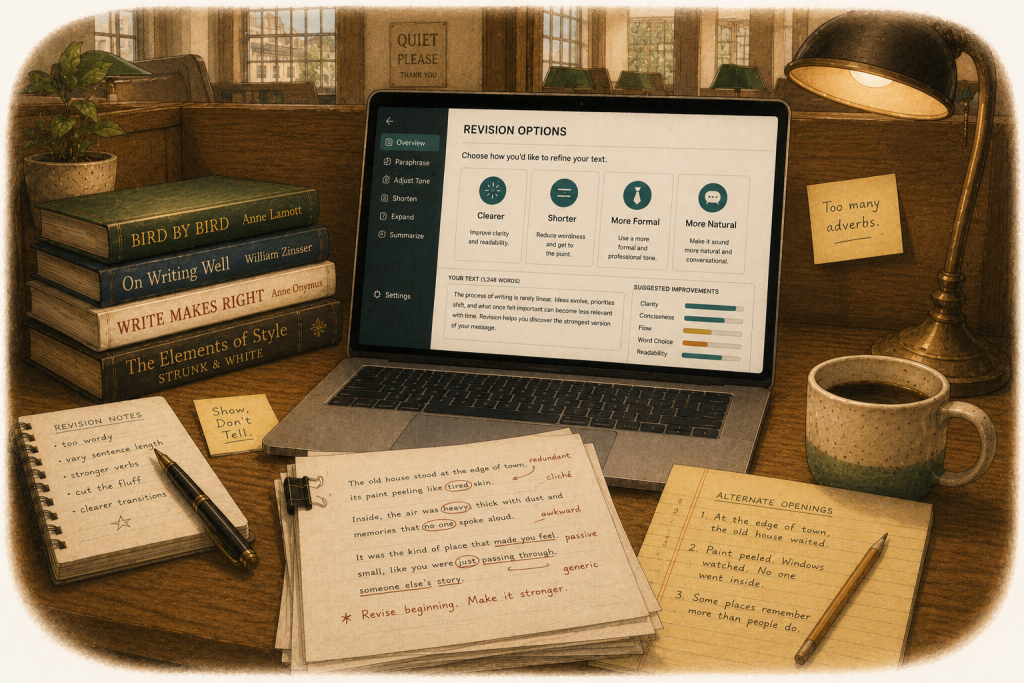
In 2025, QuillBot introduced Flow, a unified writing workspace that brings all of the platform’s tools into a single distraction-free interface. Paraphraser, grammar checker, summarizer, AI detector, and citation generator in one place, without switching between tabs or tools.
It’s a meaningful improvement to the experience for writers doing sustained work in the platform, and it’s available in full on Premium. For users who were previously treating each QuillBot tool as a separate utility, Flow is the argument for treating it as an integrated writing environment instead.
The free tier, honestly assessed
More useful than most free tiers in this category, up to a point.
The free version gives you basic paraphrasing up to 125 words, the grammar checker, summarization up to a reasonable word limit, and limited AI detection. That’s a genuinely useful set of tools for occasional use or evaluation. The 125-word paraphrasing cap is the ceiling: it’s enough to rewrite a paragraph, not enough to work through a document.
Writers who can batch their work into short chunks and work around the limit will find the free tier adequate for light use. Writers who need the tool continuously throughout a workflow will hit the cap repeatedly and find it more frustrating than useful. The upgrade decision is essentially a function of volume: how often do you need this, and how much does the cap interrupt you?
Who this is for
Students and academic writers are QuillBot’s natural audience, and the tool shows it. The citation generator, the academic paraphrasing mode, the plagiarism checker, the summarizer for condensing research sources: these features map directly onto the academic writing workflow. For that audience, QuillBot Premium at its annual rate is one of the better value propositions in writing software.
Professional writers and content marketers get genuine value from the paraphraser for content repurposing, the summarizer for condensing research, and the translation tools for multilingual work. The grammar checker is useful but not a replacement for Grammarly or ProWritingAid. Think of it as a competent supplementary tool rather than a primary editing environment.
Writers who primarily need grammar checking, style analysis, or long-form editorial feedback should look elsewhere first. QuillBot is the right tool for specific jobs. Those jobs happen to be very common ones.
Pros
- Best dedicated paraphrasing tool in the category, and it isn’t close
- Ten paraphrasing modes at Premium give precise control over tone and style
- Genuinely useful for content repurposing, academic writing, and multilingual work
- Summarizer and citation generator add real value for research-heavy workflows
- QuillBot Flow unifies all tools in a single workspace
- Free tier is more functional than most competitors’ free offerings
- Annual Premium pricing is among the most affordable in the category
Cons
- Grammar checker is functional but significantly less powerful than Grammarly or ProWritingAid
- Free tier 125-word paraphrasing cap is a hard ceiling that interrupts serious use
- Plagiarism checker is slow; several minutes on moderate-length documents
- Plagiarism checker is Premium only; not available on the free tier at all
- AI detection bypass rate is unreliable; not a tool for evading detectors
- Skews toward academic use cases; professional writers get partial value
- Customer support response times draw consistent complaints
The verdict
QuillBot does what it was built to do better than anything else in the category. If paraphrasing, content repurposing, summarization, or academic writing assistance is what you need, it’s the right tool and the price is reasonable. The grammar checker is an honest but limited addition. The plagiarism checker works, slowly. The free tier is useful until it isn’t.
For professional writers, QuillBot belongs in the toolkit as a specialist rather than a generalist. It solves specific problems very well. For the broader editing and proofreading work that most professional writing requires, Grammarly and ProWritingAid are the stronger primary tools. QuillBot is what you reach for when the job is specifically paraphrasing. That job comes up more often than you might think.
→ Compare Grammarly, ProWritingAid, and QuillBot side by side.
Michael Semer is a professional writer and editor with 40 years of experience in advertising, B2B content marketing, and digital publishing. He used QuillBot on the free tier and confirms the 125-word limit will remind you it exists at the worst possible moment.
→ More AI writing tools reviewed at Scribbright.
Frequently asked questions
What is QuillBot best used for? Paraphrasing, first and foremost. QuillBot is the best dedicated paraphrasing tool available, and its supporting features, summarization, citation generation, and translation, make it particularly well suited to academic writing and content repurposing workflows. For grammar checking or long-form editorial analysis, Grammarly and ProWritingAid are stronger primary tools.
Is QuillBot free to use? Yes, with meaningful limitations. The free tier provides basic paraphrasing up to 125 words, a grammar checker, summarization, and limited AI detection. Premium unlocks unlimited paraphrasing, all ten modes, the plagiarism checker, and the full QuillBot Flow workspace. Verify current pricing at quillbot.com.
How does QuillBot compare to Grammarly? They’re built for different primary purposes. QuillBot is a paraphrasing platform with grammar checking added. Grammarly is a grammar and editing platform with AI writing assistance added. For paraphrasing and content repurposing, QuillBot is stronger. For grammar checking, style analysis, tone detection, and cross-platform editing, Grammarly is significantly more capable. A full comparison of QuillBot, Grammarly, and ProWritingAid is coming to Scribbright.
Is QuillBot good for academic writing? For students and academic writers, it’s one of the better value propositions in writing software. The citation generator, academic paraphrasing mode, plagiarism checker, and summarizer map directly onto academic workflows. One important note: most universities have clarified their policies on AI writing assistance, and using QuillBot to paraphrase source material as a substitute for original work raises academic integrity issues. Using it to improve the clarity of your own writing is a different matter.
Can QuillBot bypass AI detection? Not reliably. Independent testing shows QuillBot’s AI Humanizer bypasses AI detectors at a roughly 40 to 60 percent rate, and Turnitin introduced specific flagging for paraphrasing tool output in late 2025. Writers or students banking on QuillBot to make AI-generated content undetectable are working with unreliable odds against a tool that is specifically trained to recognize the patterns.
Is the QuillBot free tier worth using? For occasional use and evaluation, yes. The 125-word paraphrasing limit is the constraint that determines whether the free tier is adequate for your needs. If you can work in short chunks, it’s functional. If you need to work through full documents continuously, you’ll hit the cap repeatedly and find it more friction than value.
How does QuillBot’s plagiarism checker compare to Grammarly’s? Both work accurately, but with meaningful differences. Grammarly Pro includes unlimited plagiarism checks against a large web and academic index at no extra cost. QuillBot’s plagiarism checker is a Premium-only feature and is notably slower, with loading times that can run several minutes on moderate-length documents. For writers who check plagiarism frequently, Grammarly Pro is the more practical tool. For academic writers who check less frequently and want the full QuillBot feature set, the combined value may justify the plan.
What is QuillBot Flow? QuillBot Flow is a unified writing workspace introduced in 2025 that brings all of QuillBot’s tools into a single interface, eliminating the need to switch between separate tools during a writing session. It’s available in full on Premium and is most useful for writers doing sustained long-form work within the QuillBot environment.